Introduction
Choosing a Learning Management System (LMS) is no longer simply a technology purchase for schools. It can influence how teachers deliver digital content, how students access learning resources, how assessments are conducted, and how school leaders understand academic progress.
With so many LMS platforms available, principals and school management teams can easily find themselves comparing features, dashboards, pricing, integrations, and user interfaces without first defining what their school actually needs.
The right LMS should therefore be selected around educational goals, teacher requirements, student experience, scalability, and long-term usability.
Instead of asking:
"Which LMS has the most features?"
Schools should ask:
"Which LMS fits the way our school teaches, assesses, manages, and supports learning?"
What Is an LMS?
A Learning Management System is a digital platform that helps schools organize and manage learning activities.
Depending on the platform, an LMS may support:
- Digital learning content
- Course and subject management
- Assignments
- Quizzes and assessments
- Student activities
- Teacher resources
- Learning progress
- Communication
- Reports and analytics
- Personalized learning
- Administrative management
The exact features vary between platforms, so schools should evaluate them according to their own academic requirements.
An LMS should not simply become another software application used by the school. Ideally, it should become part of the school's broader learning environment.
Why Choosing the Right LMS Matters
A school may have excellent teachers and strong academic planning, but a poorly suited digital platform can create unnecessary complexity.
For example, teachers may struggle with complicated interfaces, students may find navigation confusing, or administrators may receive reports that are difficult to interpret.
A suitable LMS can help create a more connected experience.
The goal can be represented as:
Plan → Teach → Learn → Assess → Analyse → Improve
The LMS should support this academic cycle rather than interrupt it.
1. Start With the School's Learning Objectives
Before comparing LMS platforms, principals should identify what they want the technology to achieve.
For example, a school may want to:
- Improve digital learning
- Support blended learning
- Provide centralized learning resources
- Conduct online assessments
- Track student progress
- Support personalized learning
- Improve teacher collaboration
- Provide academic analytics
- Support remote learning
- Connect multiple learning activities
These objectives should become the foundation for LMS selection.
A platform that is excellent for one purpose may not necessarily meet another school's requirements.
2. Understand What Teachers Actually Need
Teachers are among the primary users of an LMS.
Therefore, school leadership should understand how easily teachers can use the platform in their daily work.
Consider whether teachers can easily:
- Upload learning resources
- Create assignments
- Conduct quizzes
- Review student responses
- Monitor progress
- Share feedback
- Identify learning gaps
- Communicate with students
- Access reports
A platform with many advanced features can still create challenges if teachers require extensive training for routine tasks.
The important question is:
Can teachers use the LMS comfortably as part of their existing workflow?
3. Evaluate the Student Experience
An LMS is ultimately used by students for learning.
Students should be able to find their subjects, activities, resources, assignments, and assessments without unnecessary complexity.
Schools should consider:
- Ease of navigation
- Mobile accessibility
- Speed
- Content organization
- Assignment submission
- Assessment experience
- Progress visibility
- Accessibility
- Overall usability
The digital environment should encourage students to engage with learning rather than spend excessive time figuring out how the platform works.
4. Look Beyond Basic Content Management
Some LMS platforms primarily focus on storing and delivering digital content.
Others can provide a broader learning environment.
When evaluating an LMS, schools can examine whether it supports:
Content → Practice → Assessment → Feedback → Analytics
This connected approach can make the platform more useful throughout the learning journey.
For example, a student may study a lesson, complete practice activities, take an assessment, receive feedback, and then continue with another learning activity based on the results.
5. Check Assessment Capabilities
Assessment is an important part of modern digital learning.
Principals should examine what types of assessment the LMS supports.
These may include:
- Online quizzes
- Objective questions
- Subjective questions
- Assignments
- Practice tests
- Mock examinations
- Formative assessments
- Instant results
- Performance reports
Schools should also understand how assessment information is presented to teachers.
A score alone may not provide enough information.
Teachers may need to understand:
- Which topics students struggled with
- Which questions created difficulty
- Which students need support
- How performance changed over time
6. Examine Analytics and Reporting
Analytics can be particularly valuable for school leaders.
Instead of waiting for periodic reports, an LMS with meaningful analytics can provide a broader view of academic activity.
School leaders may want to understand:
- Student participation
- Assessment performance
- Subject-wise trends
- Class-level performance
- Learning gaps
- Progress over time
- Intervention requirements
However, more data does not automatically mean better decision-making.
Reports should be clear enough to help answer:
What is happening?
Where is attention required?
What should we do next?
7. Consider Personalized Learning Capabilities
Students in the same classroom can have different learning requirements.
One student may need additional foundational practice, while another may be ready for advanced activities.
A suitable LMS can support different learning pathways by connecting performance information with learning activities.
For example:
Assess → Identify Need → Recommend Practice → Reassess
This can help schools move beyond a completely identical digital experience for every student.
Personalization does not mean removing academic standards. It means providing appropriate learning support within the school's academic framework.
8. Check Integration With Existing Technology
Schools rarely operate with one technology system.
They may already use:
- Student information systems
- School management software
- Digital classrooms
- Assessment platforms
- Communication tools
- Attendance systems
- Content platforms
Before selecting an LMS, schools should understand how well it can work with their existing technology environment.
Important questions include:
- Can data be transferred efficiently?
- Are integrations available?
- Can teachers access required information easily?
- Will the LMS create duplicate work?
- Can the school gradually connect additional systems?
A platform should ideally fit into the school's technology ecosystem rather than create another isolated system.
9. Evaluate Scalability
A school's requirements can change over time.
A platform that works for 500 students may need to support a much larger population later.
Principals should therefore consider:
- Number of students
- Number of teachers
- Multiple campuses
- Additional grades
- New subjects
- Increased digital content
- Future technology integrations
Scalability is especially important for schools planning long-term digital transformation.
The question is not only:
"Does it work today?"
It is also:
"Can it continue working as our school grows?"
10. Examine Data Security and Privacy
Schools manage sensitive student and academic information.
Therefore, data security should be part of the LMS evaluation process.
School management should ask vendors about:
- Data protection practices
- User access controls
- Authentication
- Data storage
- Backup procedures
- Security measures
- Administrative permissions
- Data retention policies
Schools should also understand their responsibilities regarding student information and establish appropriate internal policies.
Technology selection should consider both functionality and responsible data management.
11. Understand Teacher Training Requirements
Introducing an LMS is not simply a software installation.
Teachers need to understand how to use it effectively.
Before implementation, schools should determine:
- What training is provided?
- Is onboarding available?
- Are tutorials available?
- Is technical support available?
- Can teachers receive ongoing assistance?
- How quickly can new teachers learn the system?
A well-designed training program can make the transition smoother.
The objective should be to help teachers become confident users rather than simply giving them access credentials.
12. Evaluate Technical Support
Even a good platform can face technical issues.
Schools should therefore understand the support process before making a decision.
Ask:
- Who handles technical issues?
- What support channels are available?
- What are the response processes?
- Is support available during school hours?
- Is implementation assistance included?
- How are platform updates communicated?
Reliable support becomes particularly important when an LMS is used across multiple grades and departments.
13. Consider Mobile and Multi-Device Access
Students and teachers may access an LMS through different devices.
The platform should therefore provide a practical experience across:
- Desktop computers
- Laptops
- Tablets
- Smartphones
- Interactive classroom displays
Schools should test the platform on the devices they actually use instead of relying only on a vendor demonstration.
A useful evaluation question is:
Does the experience remain consistent across different devices and screen sizes?
14. Check Curriculum Alignment
An LMS should support the school's academic structure.
Principals should examine whether the platform can organize learning according to:
- Grades
- Subjects
- Units
- Chapters
- Learning objectives
- Assessments
- Academic calendars
For schools following specific curriculum frameworks, alignment can be particularly important.
The platform should make it easier to connect digital learning with the curriculum rather than requiring teachers to create unnecessary parallel structures.
15. Consider Accessibility and Inclusion
Digital learning should be usable by as many students as possible.
Schools should evaluate whether the LMS considers different learning requirements and accessibility needs.
Depending on the platform, schools may look for:
- Readable interfaces
- Clear navigation
- Flexible content formats
- Accessible digital resources
- Device compatibility
- Support for different learning preferences
Accessibility should be considered during evaluation rather than added as an afterthought.
16. Compare the Total Cost, Not Just the Subscription Price
Pricing is an important part of LMS selection, but the subscription fee is not the only cost.
Schools should also consider:
- Implementation
- Teacher training
- Technical support
- Integrations
- Additional modules
- Content development
- Hardware requirements
- Maintenance
- Future expansion
A lower initial price may not necessarily represent a lower overall cost if additional services are required later.
Schools should therefore compare the total cost of ownership.
17. Request a Real School-Based Demonstration
A vendor presentation can show what a platform is capable of.
However, schools should also ask for practical demonstrations based on their actual requirements.
For example:
Teacher Scenario
Create a lesson → Add resources → Conduct a quiz → Review results.
Student Scenario
Open lesson → Complete practice → Take assessment → Review feedback.
Principal Scenario
View class performance → Identify trends → Review progress → Generate report.
This makes it easier for school leadership to understand how the LMS would function in everyday use.
18. Involve the Right People in the Decision
LMS selection should not necessarily be the responsibility of one person.
A school can gather feedback from:
- Principal
- Academic coordinator
- Teachers
- IT team
- School management
- Students
- Administration
Each stakeholder sees the platform differently.
Teachers may focus on usability.
Students may focus on navigation.
IT teams may focus on security and integrations.
School leadership may focus on analytics and scalability.
Bringing these perspectives together can lead to a more informed evaluation.
A Practical LMS Evaluation Framework
Principals can create a simple evaluation framework before speaking with vendors.
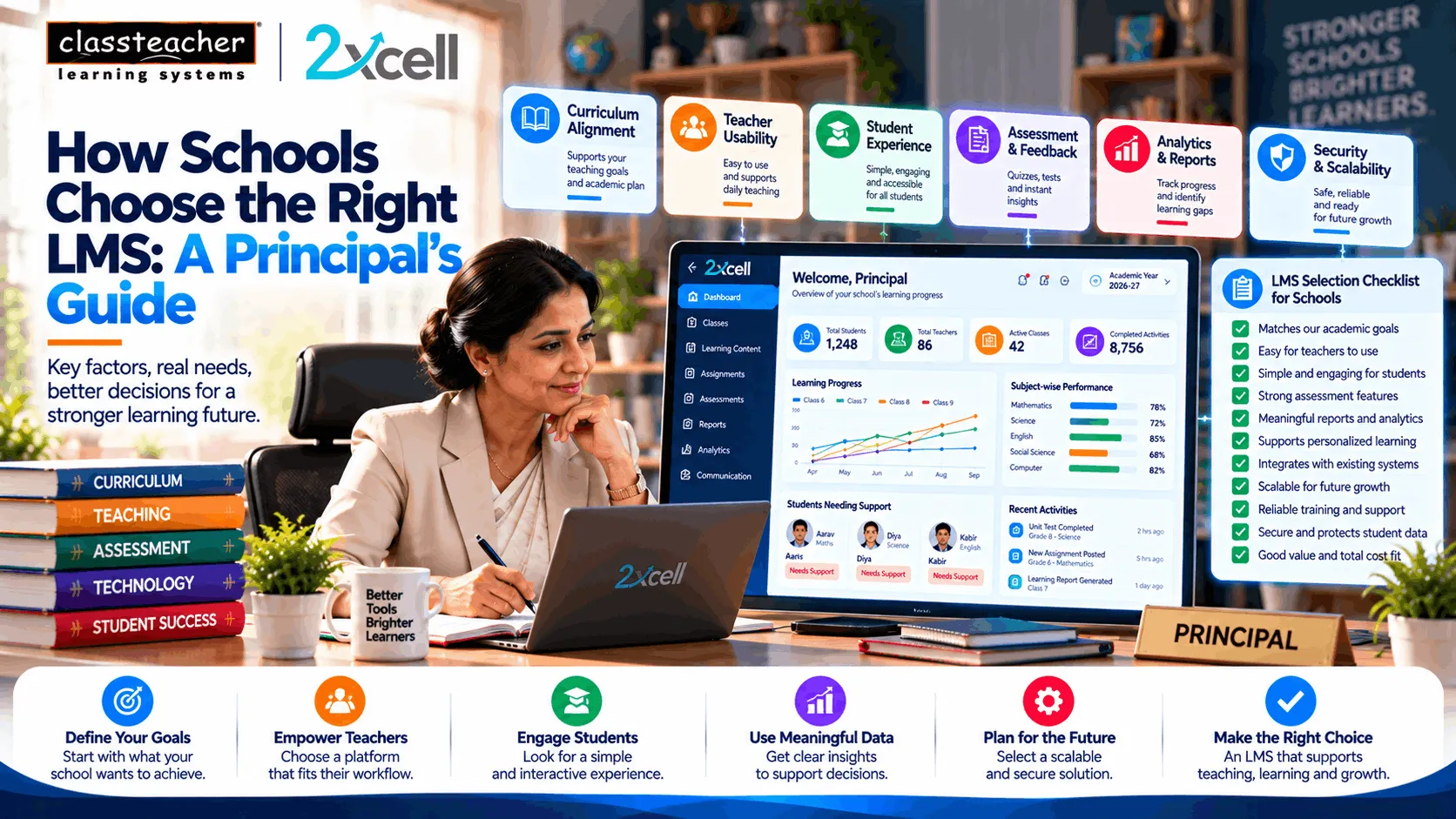
Evaluation AreaKey QuestionLearningDoes it support our teaching model?TeachersIs it easy for teachers to use?StudentsIs the student experience simple?AssessmentCan we assess learning effectively?AnalyticsCan we understand meaningful progress?PersonalizationCan learning support different student needs?IntegrationCan it work with existing systems?SecurityHow is student data protected?ScalabilityCan it support future growth?SupportWhat training and technical support are provided?CostWhat is the total implementation cost?
This framework can help schools compare platforms using their own requirements instead of simply comparing feature counts.
Common Mistakes Schools Should Avoid
Choosing Based Only on Features
More features do not automatically mean better usability.
Ignoring Teachers
If teachers find the system difficult to use, adoption can become a challenge.
Focusing Only on Price
The lowest subscription price may not represent the lowest overall cost.
Skipping a Practical Demo
A platform should be tested using real school scenarios.
Ignoring Scalability
Future requirements should be considered before implementation.
Treating Analytics as Just Reports
Analytics are more useful when they help schools understand what action may be required.
Overlooking Data Responsibility
Student information requires appropriate security and access controls.
How 2xcell Can Fit Into a School's Digital Learning Strategy
2xcell AI Learning Platform by CLASSTEACHER Learning Systems can support schools looking to build a connected digital learning environment.
The platform's approach can bring together areas such as:
- Digital Learning
- AI-enabled learning
- Assessments
- Practice
- Personalized Learning
- Learning Analytics
- Student Progress
A connected learning cycle can be represented as:
Learn → Practise → Assess → Analyse → Personalize → Improve
For school leadership, the value of such an ecosystem is not simply having another digital platform.
The objective is to create a more connected learning environment where teachers, students, and school leaders can work with relevant learning information.
The Principal's Final Checklist
Before selecting an LMS, school leadership can ask:
Academic Fit
Does the platform support our curriculum and teaching approach?
Teacher Fit
Can teachers use it without unnecessary complexity?
Student Fit
Can students navigate and learn independently?
Assessment Fit
Does it support the assessment methods we need?
Analytics Fit
Can it provide meaningful academic insights?
Technology Fit
Can it integrate with our existing systems?
Security Fit
Are appropriate data protection measures available?
Growth Fit
Can the platform scale with our school?
Support Fit
Will teachers and administrators receive sufficient support?
Financial Fit
Does the total cost align with our budget and long-term plans?
If these questions are answered clearly, the school can move from simply comparing software to evaluating how the LMS will actually support its educational goals.
Conclusion
Choosing an LMS is an important decision for any school moving towards a stronger digital learning environment.
The right platform should not be selected only because it has an impressive list of features. Schools should consider how effectively it supports teachers, students, assessments, analytics, personalized learning, integration, security, scalability, and long-term academic goals.
For principals and school management teams, the selection process should ultimately focus on one central question:
Will this LMS help our school create a more connected, practical, and effective learning environment?
By evaluating platforms through real classroom requirements and stakeholder needs, schools can make a more informed technology decision.
2xcell AI Learning Platform
By CLASSTEACHER Learning Systems
Empowering Education with AI & Innovation.